HTML (HyperText Markup Language) is the standard language used to create and structure content on webpages. It provides the building blocks of a website by defining elements like headings, paragraphs, images, links, tables, forms, and interactive sections. HTML doesn’t control design or behavior by itself—it simply organizes and labels content so browsers know how to display it. Combined with CSS for styling and JavaScript for interactivity, HTML lets you build anything from simple text pages to complex, fully interactive web applications. Below are a few HTML elements that illustrate some of what HTML can do:
Headings
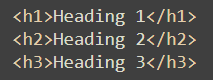
Headings in HTML define the structure and hierarchy of your content, making it easier for users and search engines to understand the page layout. They help break information into clear sections, improve readability, and play an important role in accessibility and SEO. There are 6 headings, H1 - H6. headings start with a heading tag, followed by the text you want in the heading and a closing tag.
Example:
Heading 1
Heading 2
Heading 3
Paragraphs
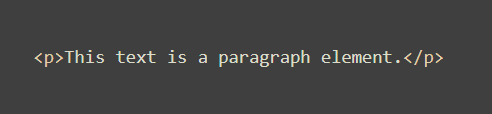
Paragraphs are used to group sentances into groups and hold the majority of the text on a website. Paragraph tags work the same way a headings with an oppening and clossing tag with the content in the middle.
Example:
This text is a paragraph element.
Images
Images in HTML are added using the img element, which lets you display photos, graphics, and illustrations directly on a webpage. They help enhance visual interest, support your written content, and improve user engagement by breaking up large sections of text.


Audio
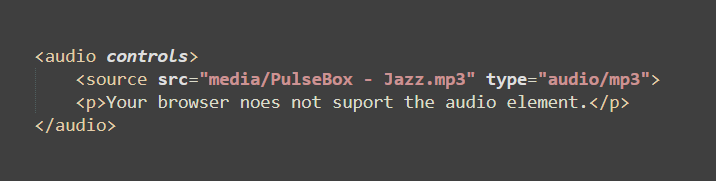
The audio element in HTML lets you embed sound files directly into a webpage so users can listen without downloading anything. It supports controls like play, pause, and volume, making it easy to add music, narration, or sound effects to your content.
Example:
Jazz by PulseBox via freemusicarchive.org
Video
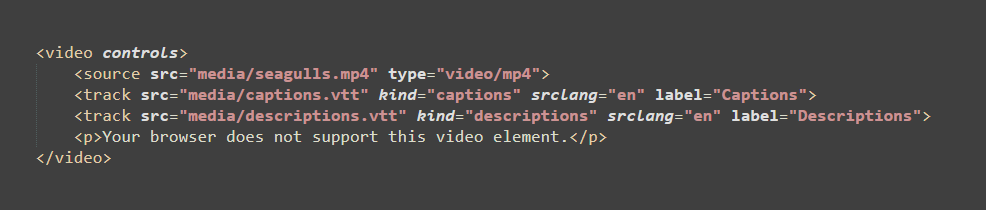
The video element in HTML allows you to embed video content directly into a webpage, giving users built-in controls to play, pause, and adjust volume. It’s ideal for tutorials, demos, and visual storytelling without requiring third-party plugins.
Example:
Video via storyblocks.com